
Submitted by Jean Joeri
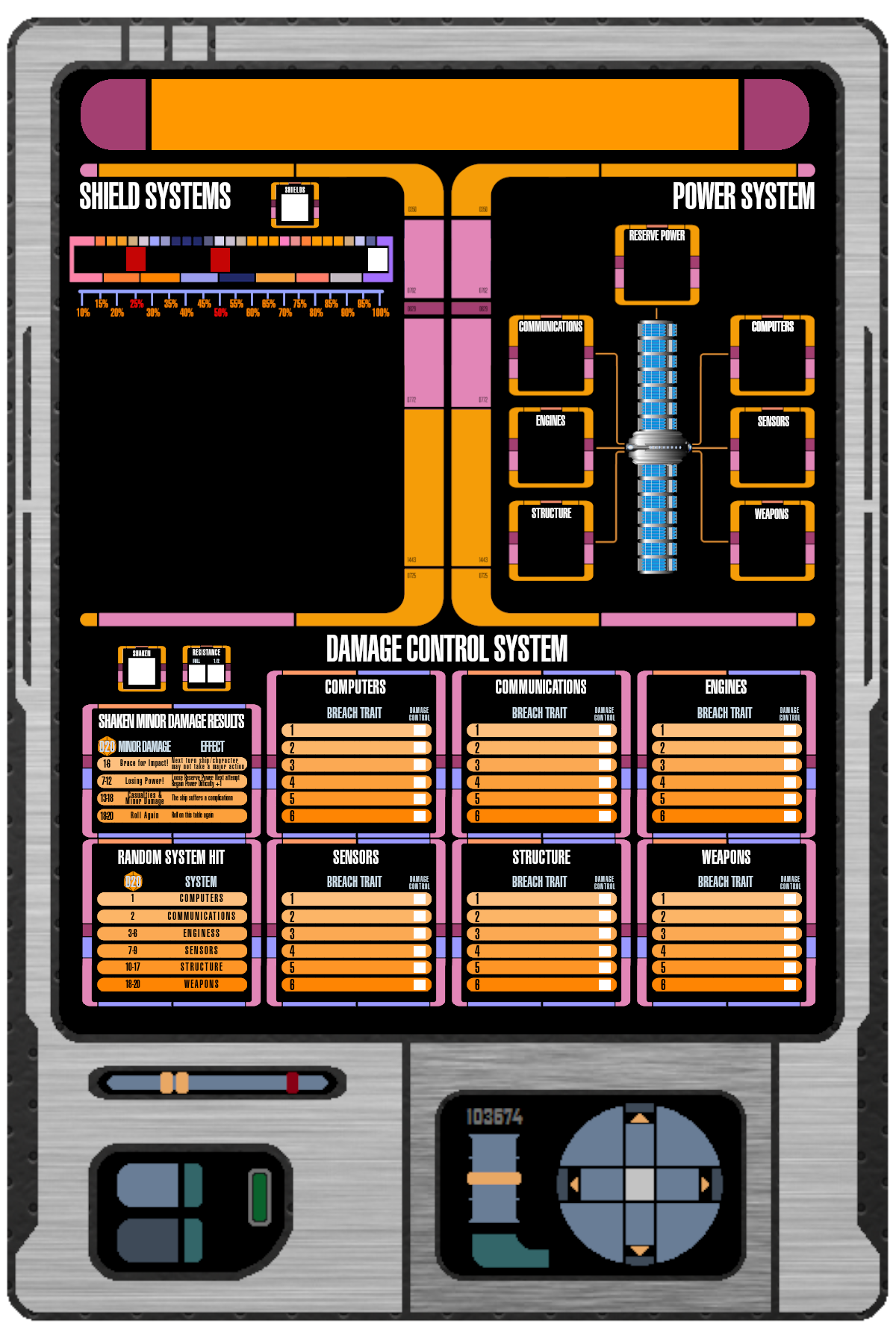
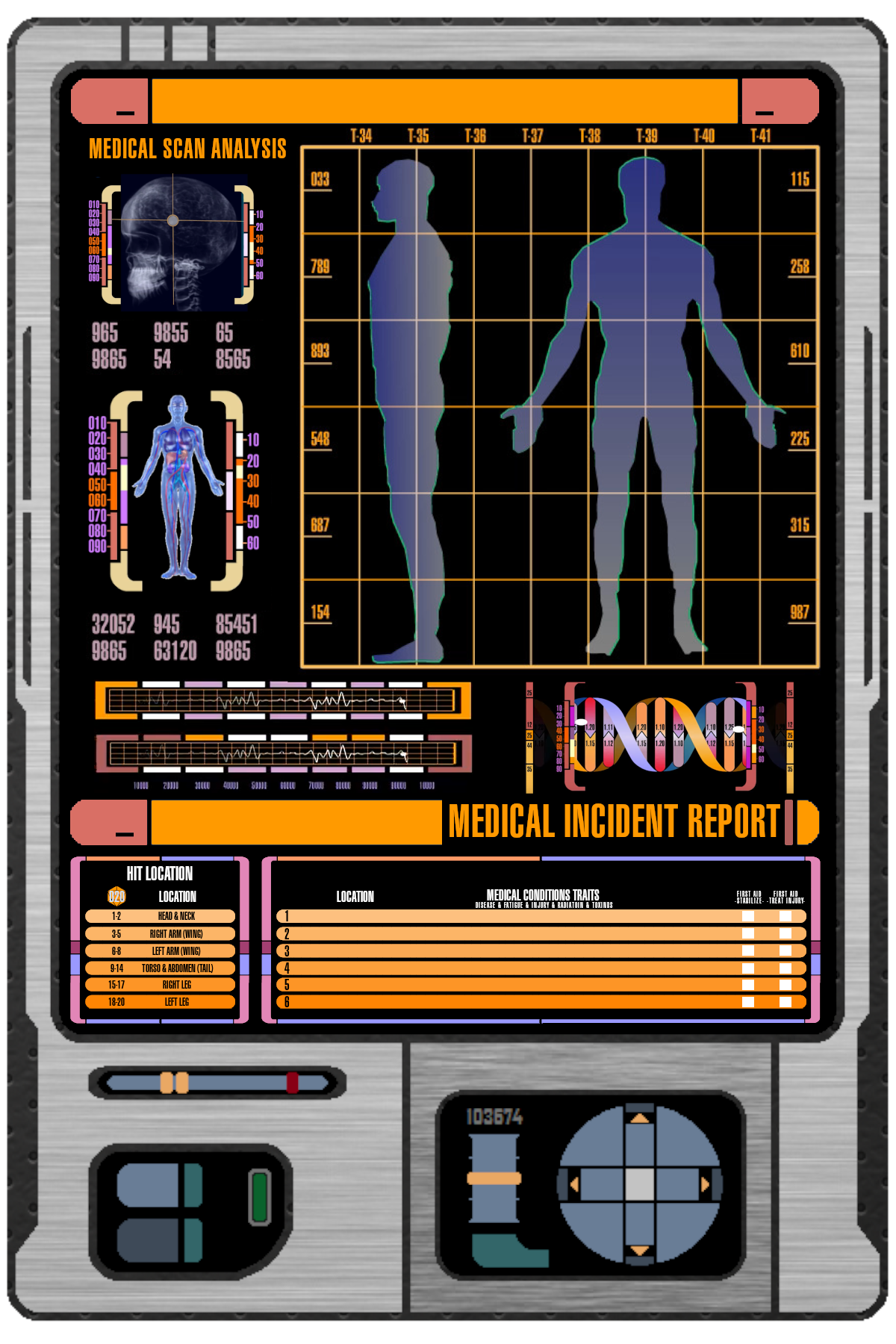
I’m excited to share two valuable resources for Star Trek Adventures fans: the Engineer Sheet and the Medical Incident Report. These tools are designed to enhance gameplay, streamline your preparation, and provide immersive storytelling experiences. Both files are available in PNG and Word formats for maximum convenience, with the Word versions prepped with text boxes for easy customization.
Engineer Sheet: Building Your Starship’s Profile
The Engineer Sheet allows players to bring their starship to life with added visuals and functionality. Here’s how to make the most of it:
Features and Tips
- Text Box Integration: Fill in your starship’s name with ease.
- Shield Images: The sheet includes two shield-shaped PNG frames for starship images.
How to Use the Engineer Sheet
- Customize the Starship Visuals:
- Find PNG images of your starship (top and side views work best, but one will suffice).
- Import the image into the Word file, positioning it within the shield frames.
- Set the image behind the text for a polished look.
- Laminate for Longevity:
- After filling in the sheet, print, laminate, and cut it out.
- Use a non-permanent marker for annotating during gameplay.
Reserve Energy Tokens
The second page of the Word file includes Reserve Energy tokens to manage power levels during gameplay. Here’s how to prepare them:
- Print and Reinforce:
- Laminate the page and attach it to cardboard for durability.
- Cut out the tokens for individual use.
- Game Use:
- Place tokens on the “Reserve Power” box at the start of combat.
- Move tokens during Reroute Power or Regain Power Major Actions, following the difficulty penalties.
Medical Incident Report: Tracking Injuries with Precision
The Medical Incident Report is an essential tool for narrating the stakes of injury and recovery during missions. It includes:
- Text Box for Character Names: Personalize the report for each character.
- Injury Mechanics: Use Momentum to add layers of complexity when injuries occur.
Injury Management Tips
- Adding Injuries:
- Spend 2 Momentum (repeatable) to inflict additional Injuries during an attack.
- Each extra Injury has half the original attack’s severity, rounding up.
- Impact on Medical Tasks:
- Increase the difficulty of Medical Tasks by +1 for each additional Injury beyond the first.
- When multiple Injuries hinder a Task, use the one with the highest Severity/Potency, adding +1 for each extra Injury to determine total Trait Potency.
Why It’s Useful
Tracking Injuries with this system adds depth and tension to gameplay. It also challenges players to strategize and prioritize stabilization in high-stakes scenarios.
Ready to Roll?
These tools are designed to integrate seamlessly into your Star Trek Adventures campaigns, offering flexibility and immersion. Whether you’re charting new territory with your starship or managing the chaos of a medical emergency, these resources bring added precision and depth to your game.
Download and Share Feedback
Both files are now available for download on the Continuing Missions website. Your feedback is always welcome—let me know if there are any tweaks or additional features that could improve these tools for the community.


Leave a Reply